Open source

Tools

Open-source tools I built for my own day-to-day work. They are free, the code is public, and issues and pull requests are welcome.

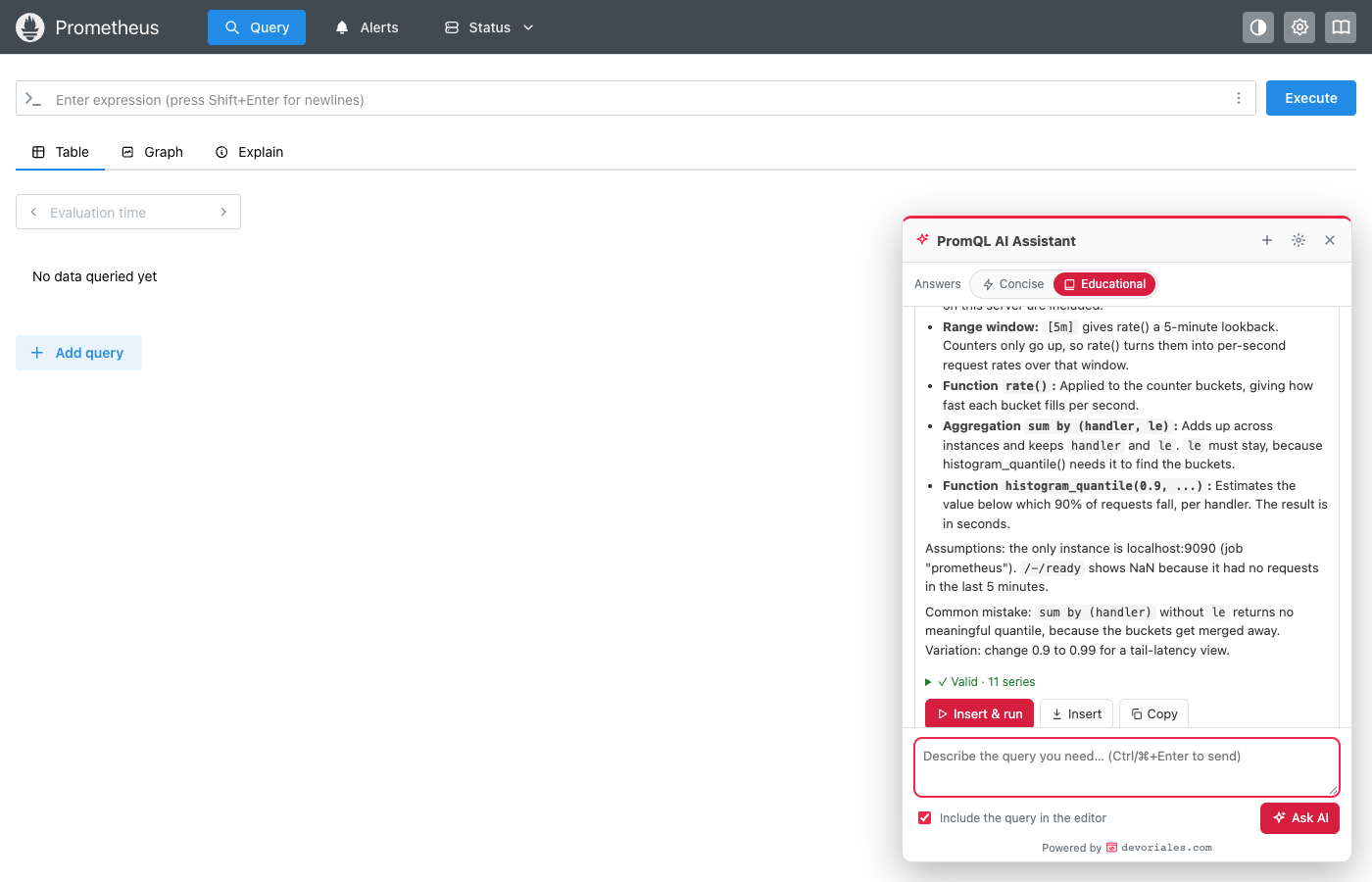
The Ask AI chat panel open in the Prometheus UI, answering in Educational mode
Chrome extension TypeScript

PromQL AI Assistant

Describe the graph you want in plain words and get a tested PromQL query, built from the metrics on your own Prometheus.

Adds an Ask AI button to the Prometheus web UI. Before it answers, the assistant searches your server's metric names and reads their labels, so it does not invent metrics. It writes the query with the right function for each metric type, runs it against your server, and marks it valid, valid but empty, or failing. One click puts the query in the editor and runs it.

  • Works with the Prometheus v3 and v2 UIs, Thanos, Mimir, Cortex and VictoriaMetrics
  • Fixes and explains the query already in the editor
  • Concise mode for the query alone, Educational mode for a piece-by-piece breakdown
  • Connects to Claude with an API key, your company's LLM gateway, or a Claude subscription through Claude Code
  • Uses your existing browser session, so SSO and cookies keep working
Try it
git clone https://github.com/devoriales/prometheus-browser-extension.gitcd prometheus-browser-extensionnpm install && npm run build# then chrome://extensions > Developer mode > Load unpacked > dist/
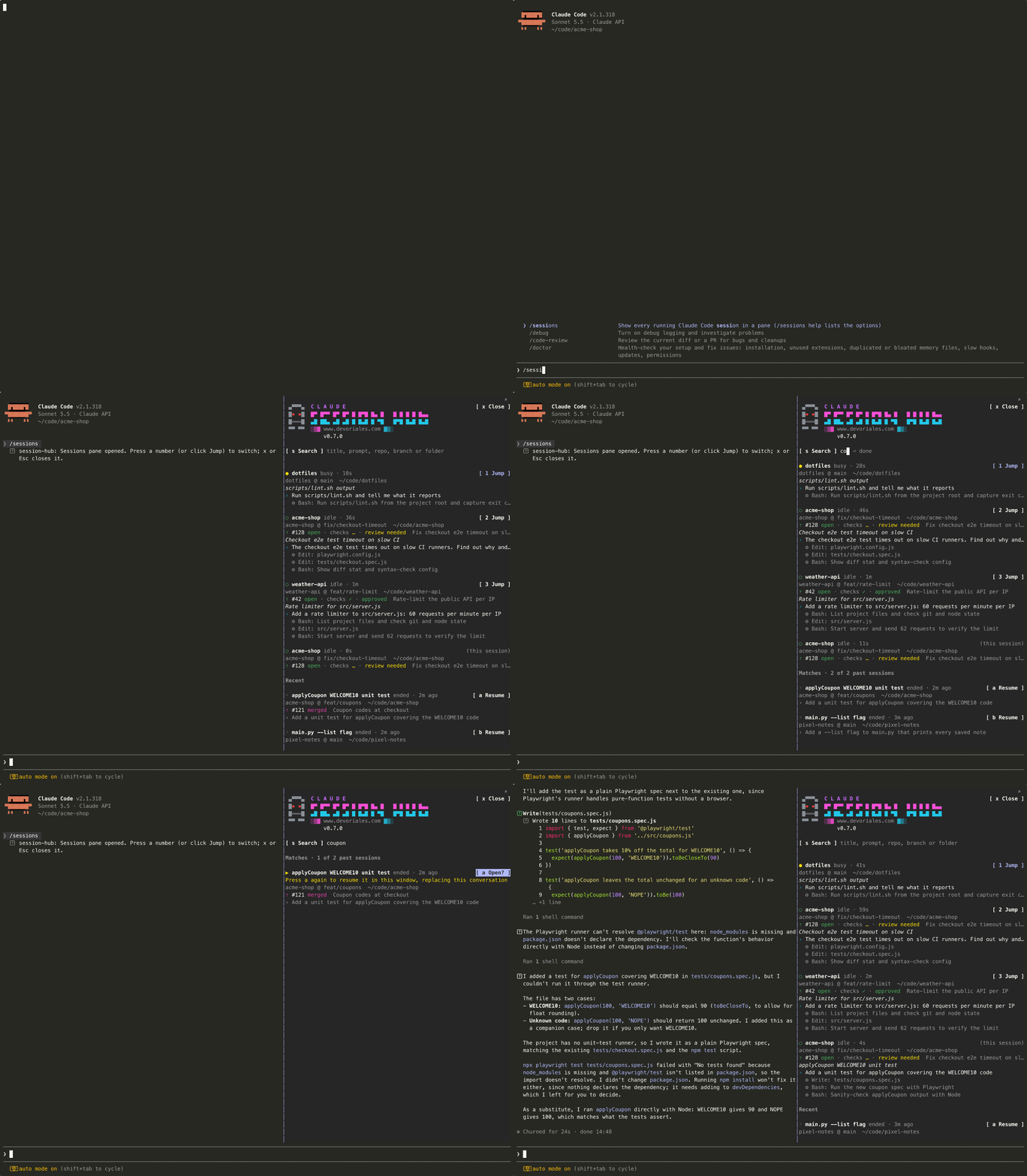
The /sessions pane listing running and recent Claude Code sessions, then resuming one
Claude Code plugin TypeScript MIT license

Claude Session Hub

Every Claude Code session on your machine in one pane, and one key to jump to any of them.

Type /sessions and a pane lists each running session: its name, whether it is busy or idle, the repo, branch and folder it runs in, its last three prompts and tool calls, and the pull request opened from that branch. Press 1 to 9 to switch to that session's tmux pane, iTerm2 tab or editor window. Sessions that have stopped are listed below with a Resume button.

  • Shows each branch's pull request with its checks and review status (needs the gh CLI)
  • Jumps across tmux, iTerm2, Terminal.app, VS Code, Cursor and X11 terminals
  • Searches your whole session history by title, prompt, repo, branch or folder
  • Resumes a stopped session in place, or in a new terminal in its own folder
  • Does no work until you open the pane, and stops polling when you close it
  • Runs on macOS and Linux with Claude Code 2.1.318 or newer
Try it
claude plugin marketplace add devoriales/claude-session-hubclaude plugin install session-hub@claude-session-hub --scope user

Found a bug or want a feature?

Open an issue on the repository. Built something with one of these? I would like to hear about it on the contact page.