helm repo add argo https://argoproj.github.io/argo-helm
helm repo update
Extract and Customize Values
Extract the default values provided by the ArgoCD Helm chart into a file. This allows you to customize the installation to fit your needs.
helm show values argo/argo-cd > values.yaml
Open the values.yaml file in your preferred text editor and make the necessary changes. For this example, we will change the following configurations:
Server Properties: Run the server without TLS for local cluster testing:
configs:
    server:
      # -- Disable TLS for HTTP access via ingress
      # @default -- `false`
      insecure: true
Enable Ingress and Set Class Name: Enable ingress and set the ingress class to nginx or whatever ingress controller class you use:
ingress:
  enabled: true
  controller: generic
  ingressClassName: "nginx"
Set the Domain: Configure the global domain used by all components:
global:
  domain: argocd.devoriales.local
❗change the domain to your own
Install ArgoCD with Custom Values
After customizing the values.yaml file, use Helm to install ArgoCD with these custom values:
helm install my-argo-cd argo/argo-cd --version 7.2.0 -f values.yaml
Verify the Installation
To ensure ArgoCD has been installed correctly, check the status of the Helm release and the deployed Kubernetes resources:
helm list -A
kubectl get all -n argocd
You'll need to have the initial admin account password. You can get it with the following command:
kubectl get secret argocd-initial-admin-secret -n argocd -o jsonpath="{.data.password}" | base64 --decode
Open your browser and log in to argocd to verify that everything works as expected:
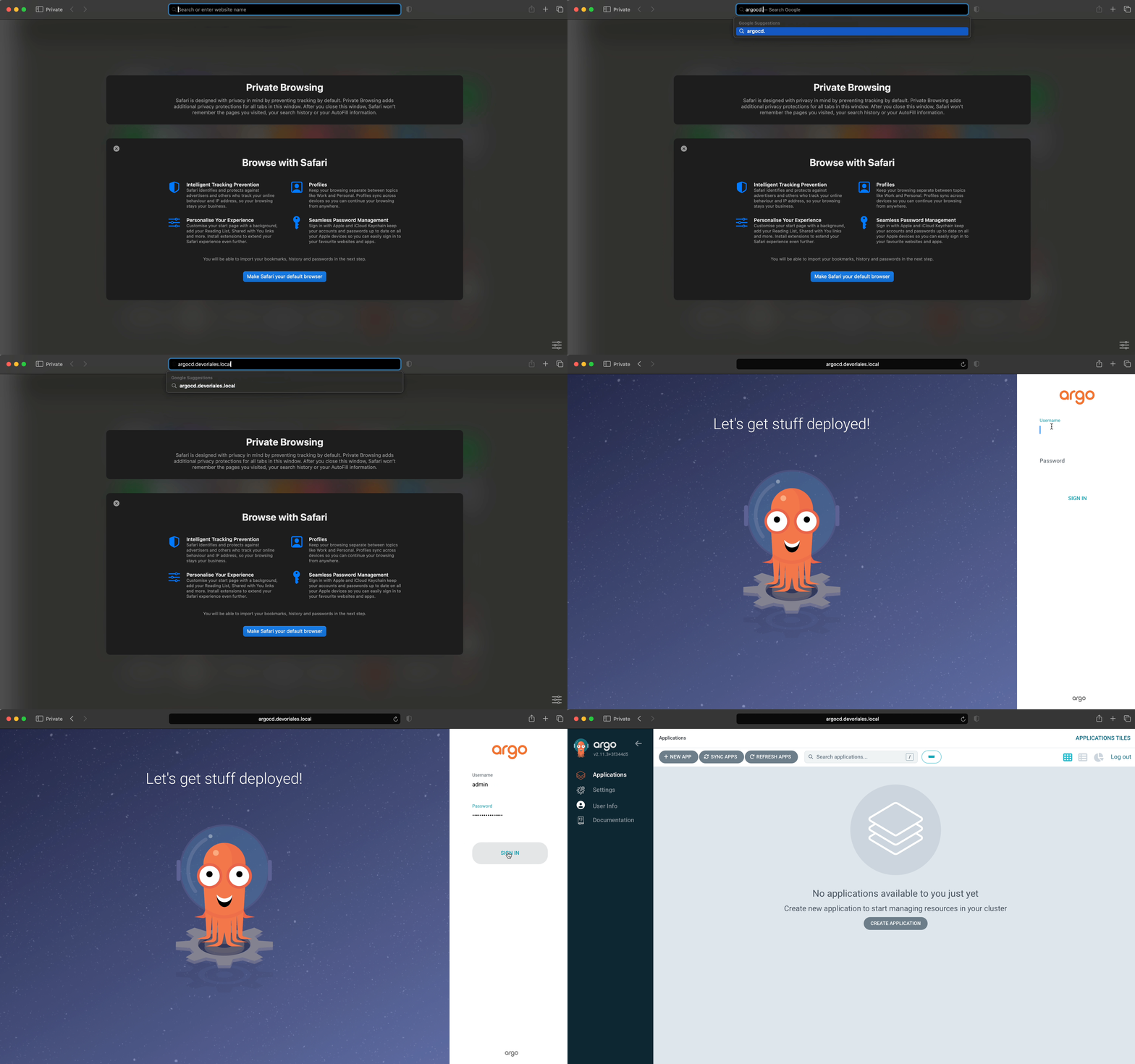
Congratulations, now you have your own ArgoCD to play around with.







Comments 0